
Maintain repeated behavior in one place
Reuse steps with a helper
When a workflow repeats the same small sequence, keep it in one helper instead of maintaining several copies. Call it again where the parent needs those steps, then test that control returns to the main workflow.
Call the same helper twice
The finished parent contains Call Reusable Helper → Call Reusable Helper → PromptMe Main. The helper itself contains only PromptMe Helper, with a Done button. Its two appearances are actual script execution, not settings previews.
Add another use without copying the steps
Keep the working set easy to find
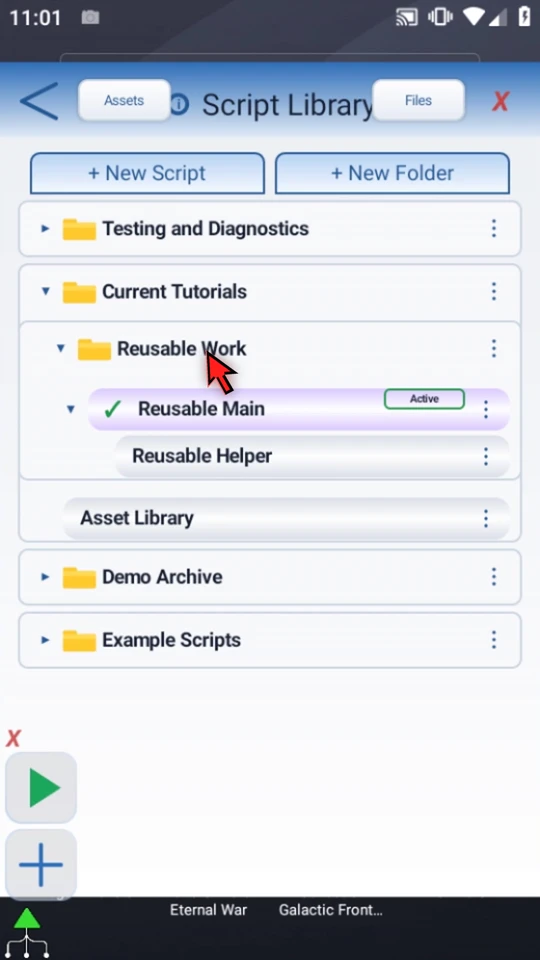
The example is organized under Current Tutorials → Reusable Work. Reusable Main is active, and its called Reusable Helper appears underneath it. Unrelated folders stay collapsed.
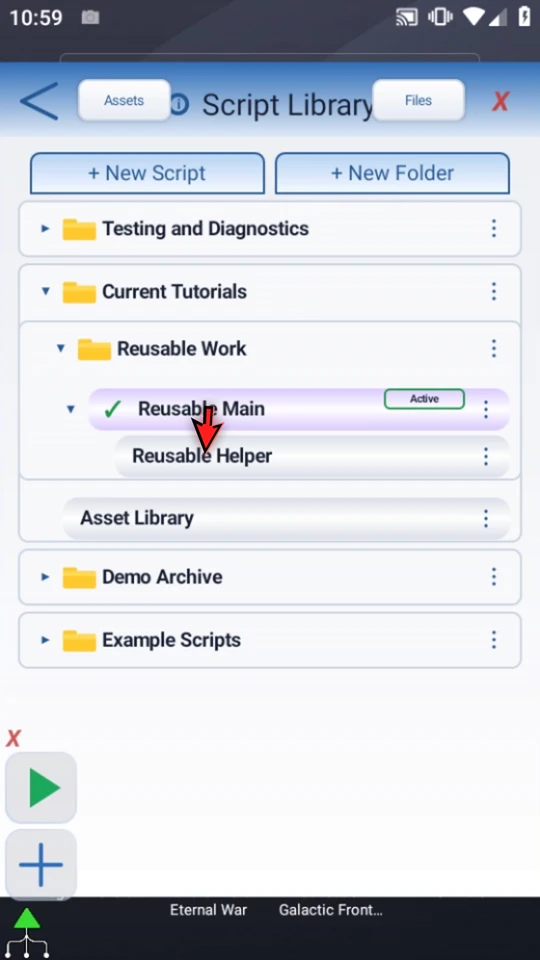
Inspect the parent's starting sequence
Open the main row's menu and choose Edit. This prepared parent starts with one Call Script and a final Main confirmation. The call is a reference to the helper, not a pasted group of its commands.
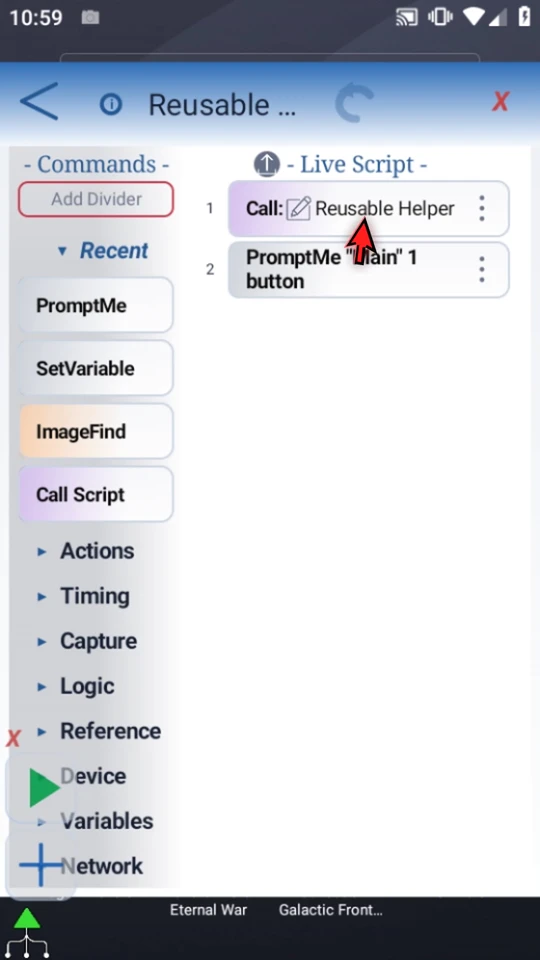
Inspect the helper directly
Use the pencil beside the call to open its helper. Here it has one Standard PromptMe: header Helper, Done → b1, and This Script Only scope. The video opens those settings and closes X without saving changes. Use Back to return to the parent editor.
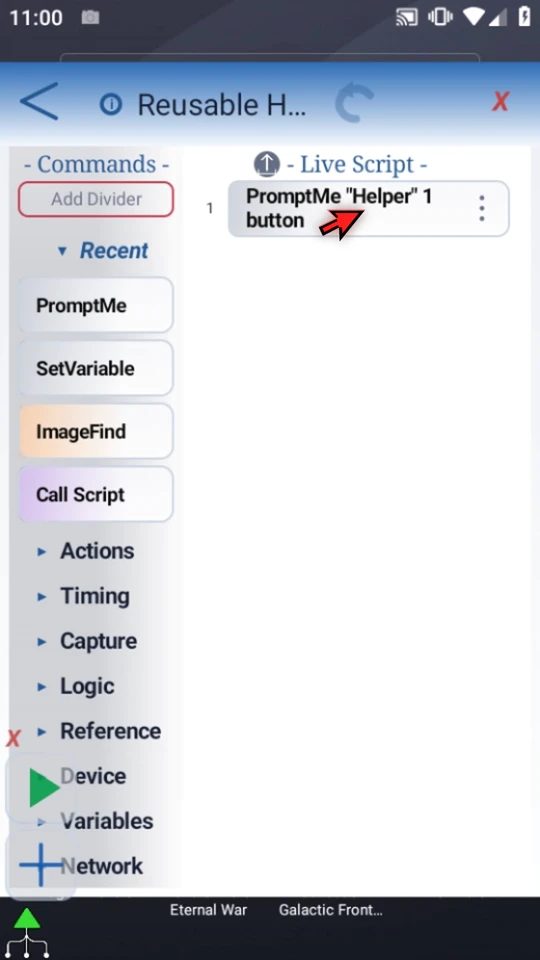
Drag a new Call Script before Main
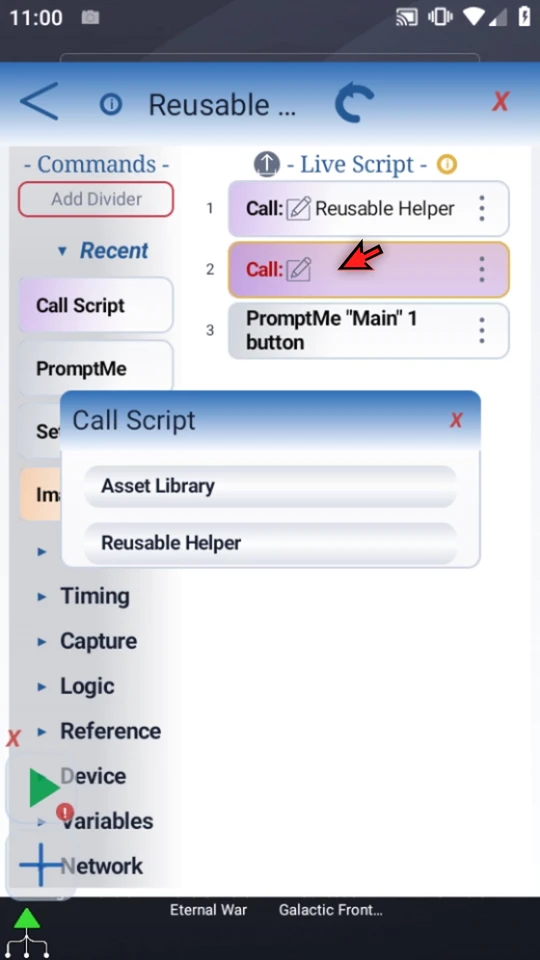
Manually drag Call Script from the palette into the gap before the final confirmation. Watch the blue insertion line and release at the intended position. The new row is incomplete until its target is selected; it does not create another helper.
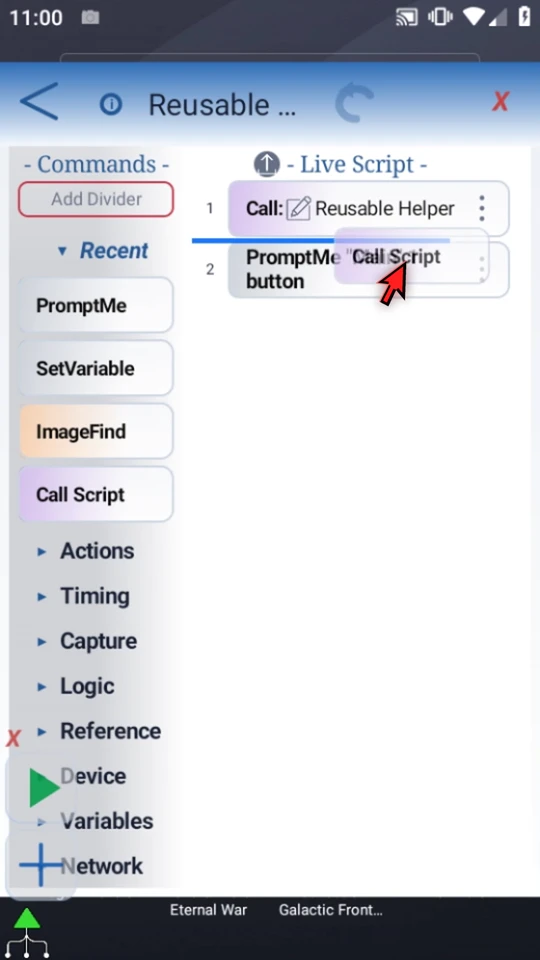
Select the same existing helper
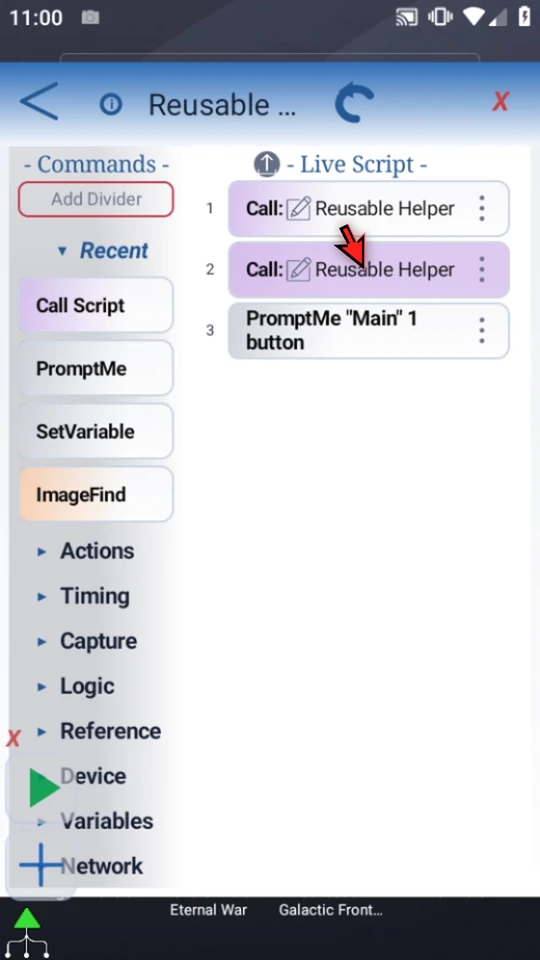
Open the new Call row and choose Reusable Helper in the actual target picker. Check the intended script rather than relying on a similar-looking name. Both Call rows should now display the same helper.
Review execution order
The first call runs the helper and returns. The second call uses that same helper again, then the parent reaches Main. Maintain the helper's steps in one place and test both call sites after an edit. This is sequential flow, not a Concurrent Loop.
Distinguish a Call relationship from a folder
Go Back to the Script Library and use the parent's arrow to collapse or expand its children. The helper appears once, even though two commands call it. The surrounding folder organizes the list; it does not establish the Call relationship.
Run the parent and observe both returns
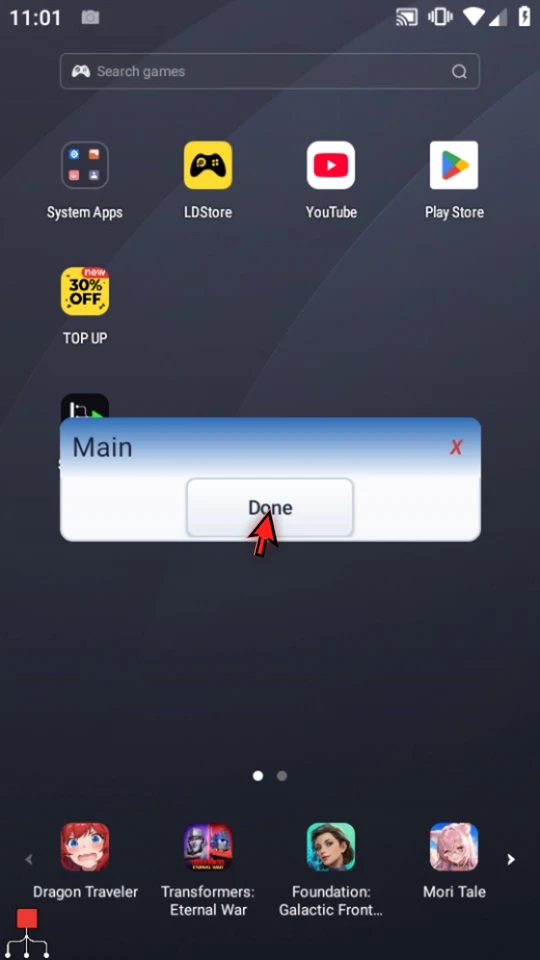
Keep Reusable Main active and close the Library. When the script is complete, simply use the Play button in the main overlay. Choose Done on the first Helper, Done on the second Helper, then Done on Main. The script finishes naturally. The identical Helper titles are deliberate: both invocations use the same saved command.
Give each helper one clear responsibility
A helper can contain a repeated check, setup sequence, or other small job. Name it after that purpose, keep the Call tree acyclic, and let the parent control the overall sequence. A copied script is a separate definition; another Call to the same helper is not.
Plan data visibility explicitly. Local values belong to their invocation; use shared scope deliberately when values must pass between the parent and helper. This example uses only local Done-button outputs, not shared data. See the Variables, arrays and scope guide before adding cross-script state.
Build on the working pattern
Read the full narration
Repeated steps are easier to maintain when they live in one helper. Call Script lets a parent use that helper more than once without copying its commands. We will add a second call, then watch both calls return to the main workflow.
Our prepared main script has one Call Script, followed by a Main confirmation. The helper is a separate saved script, not a duplicated command group.
Use the pencil beside the call to open its helper directly. This small helper contains one PromptMe. In a real workflow it could hold a repeated check or a reusable sequence of actions.
Here, PromptMe displays Helper and waits for Done. It gives each invocation an obvious result. We keep it in This Script Only scope and close these settings without changing them.
Use Back to return to the parent editor. The helper remains the single source of those steps.
Drag Call Script from the palette into the gap before Main. Watch for the insertion line, then release. This adds a new call, not another copy of the helper's commands.
Open the new Call row and choose Reusable Helper. Both calls now point to the same saved helper. Select the intended script, not just a similar display name.
The parent will run the helper, return, call it again, then continue to Main. Updating the helper changes the steps used by both calls; you do not have to maintain two copies.
Back in the Script Library, expand the parent. The helper appears once underneath it. This is a Call relationship; a library folder only organizes the list. Keep helper names descriptive and the Call tree free of cycles.
Keep Reusable Main active so Play starts the whole workflow. Close the library, with a safe screen ready for the test.
When the script is complete, simply use the Play button in the main overlay.
Helper is the first invocation. Choose Done to let that call finish. The next Call Script opens the same helper again.
Choose Done a second time. Control returns to the parent and reaches Main, so you can see both calls completed in order.
Choose Done on Main to finish naturally. Both helper appearances came from one saved script, which keeps repeated behavior consistent.
Plan variable scope deliberately. Local values belong to their invocation; use shared scope when values must pass between the parent and helper. The Variables guide explains that choice.