Command video guide
Break Loop
Break Loop exits the nearest enclosing Loop immediately. Execution continues after its matching End Loop; it does not stop the whole script.
This guide creates a separate copy of the Loop guide example, preserving the original. A loop set for three passes runs its Repeat prompt once, then Break Loop sends execution to the Complete prompt after the block.
- Place Break Loop inside a Loop, before its matching End Loop.
- It skips the remaining commands in that loop and all remaining repeats.
- With nested loops, only the nearest enclosing Loop is exited.
- There are no additional command settings. Put Break Loop inside an IF block when a condition should end the repetition.
Watch the walkthrough
Step-by-step guide
Step 01 Break Loop exits the nearest active Loop early. The script continues after its matching End Loop instead of stopping completely. In this example, a loop is set for three passes, but we will leave it after the first.

Step 02 We will reuse the setup from the Loop guide. Open Scripts, find the Loop example, and choose Duplicate from its menu. This creates a new copy and leaves the original unchanged.

Step 03 Open the copy's menu and choose Rename. Give the new script a name, then tap OK and select it.
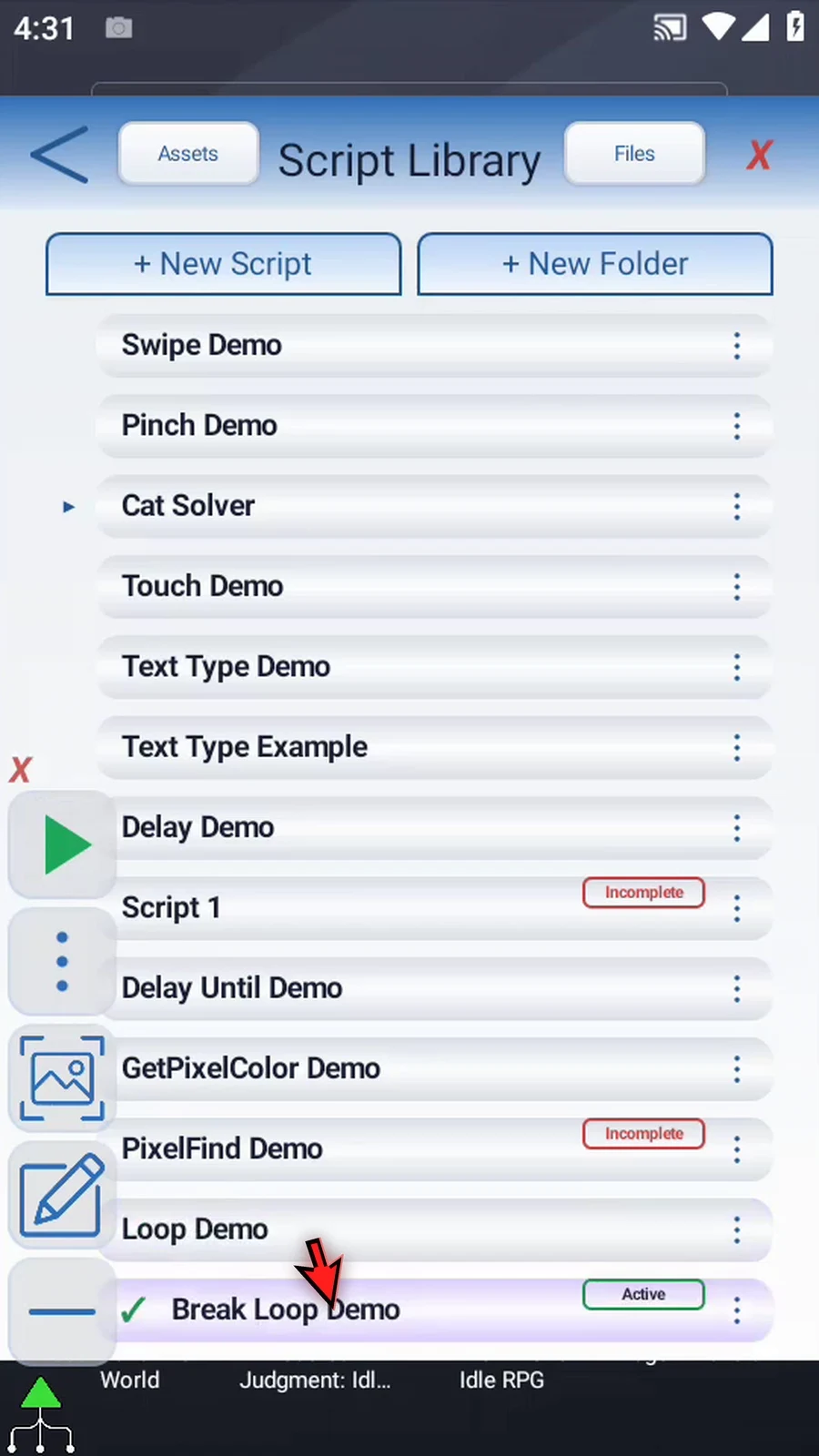
Step 04 Open the Script Editor and collapse the extra overlay controls.
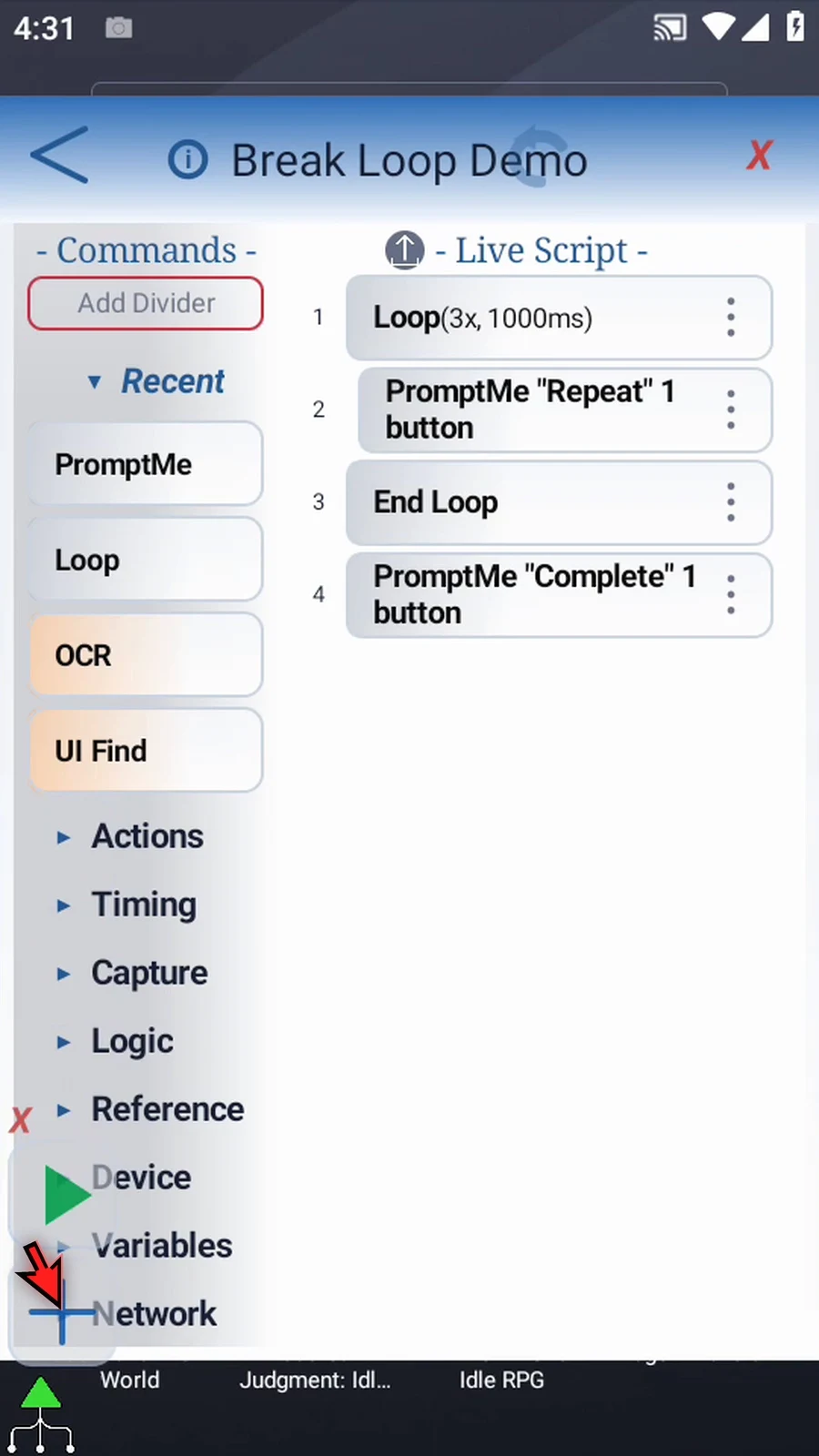
Step 05 This loop is set for three passes with Concurrent off. The Repeat prompt is inside the block. The Complete prompt is after End Loop, so it confirms that execution has left the loop.
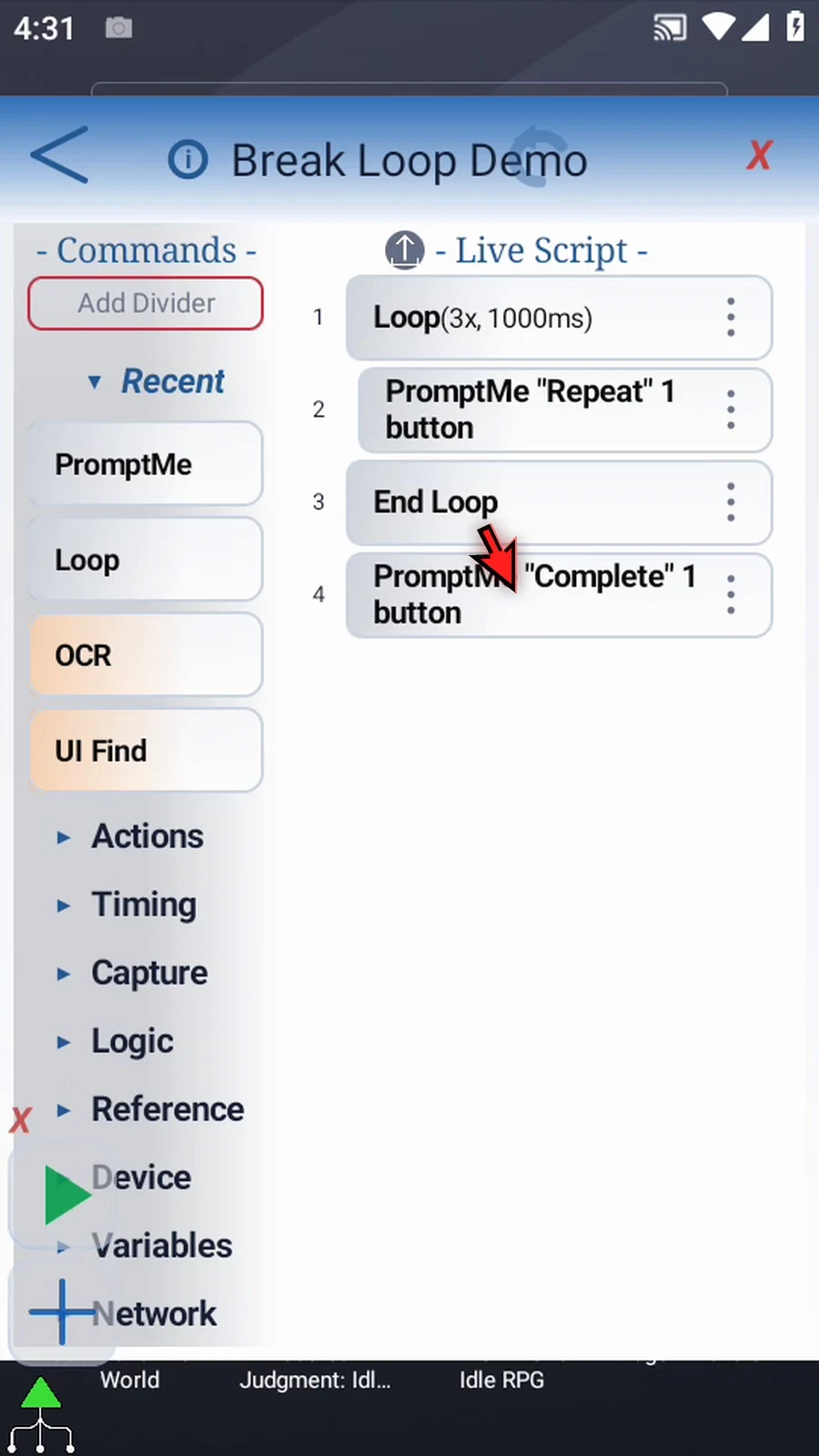
Step 06 Expand Logic. Break Loop becomes available when the script contains a Loop. It has no additional command settings.
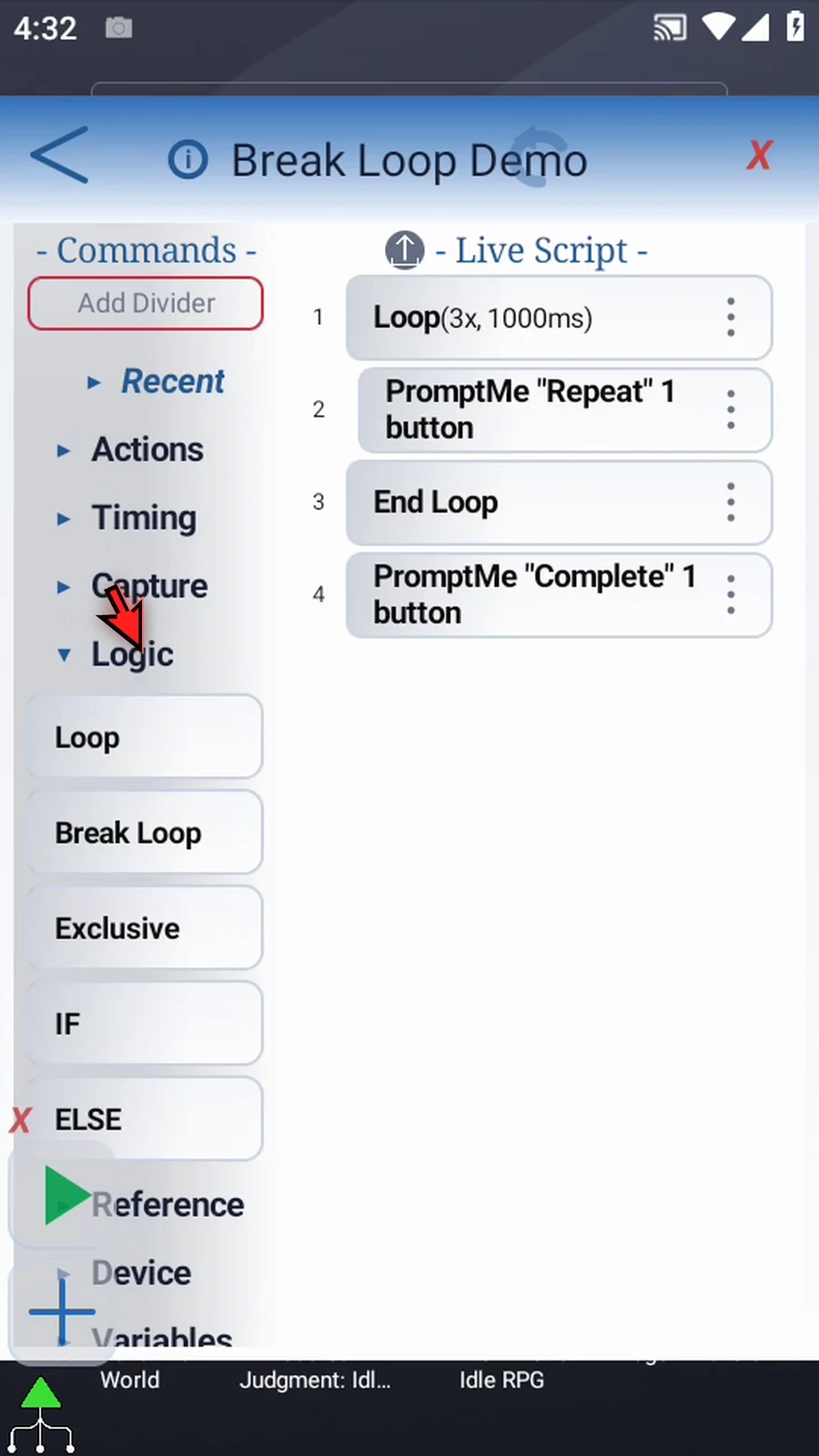
Step 07 Drag Break Loop after the first PromptMe and before End Loop. Use the blue insertion line to place it inside the block.
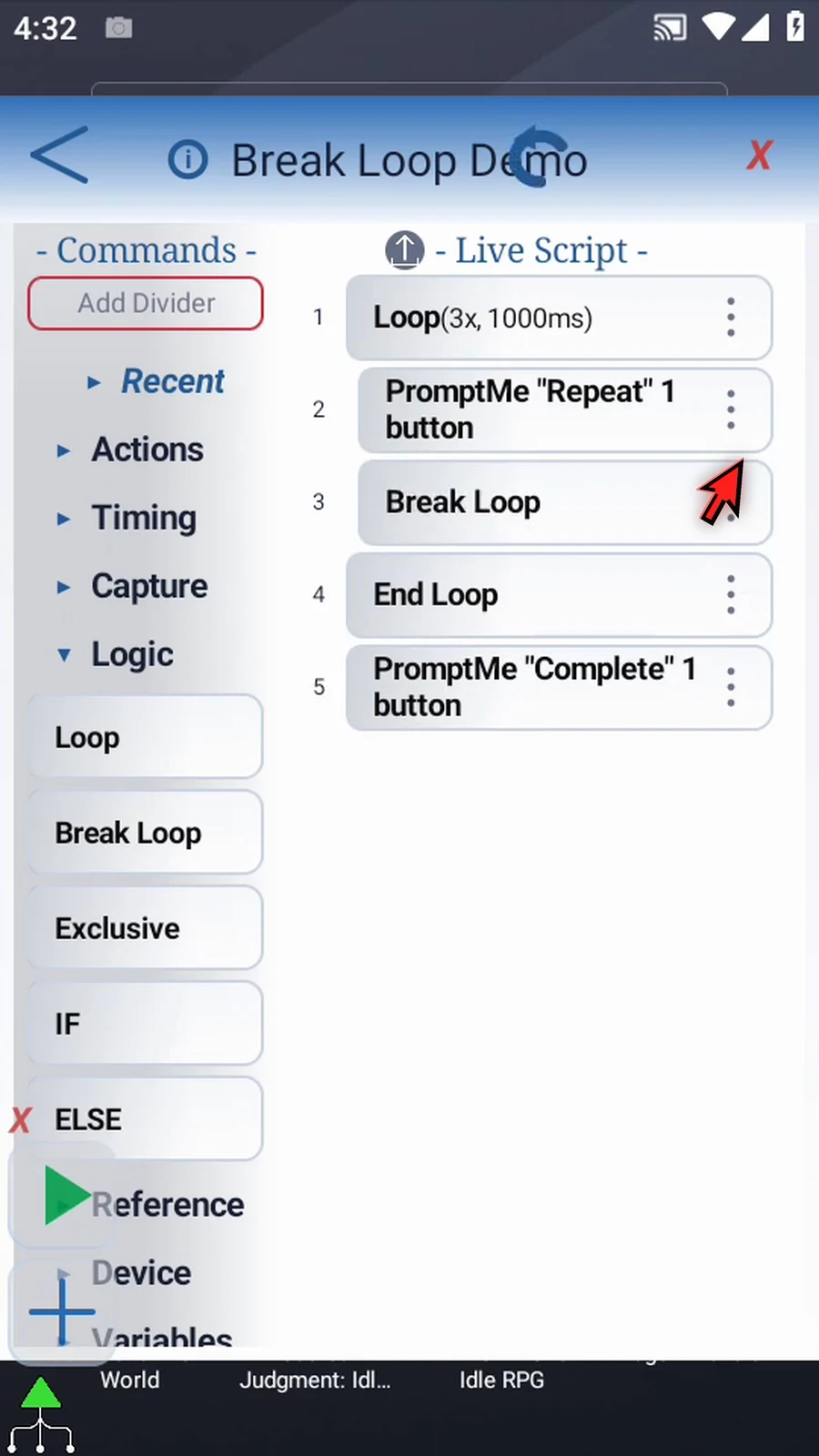
Step 08 When execution reaches Break Loop, it skips the rest of this loop and its remaining repeats. It affects only the nearest enclosing Loop. In a practical script, place it inside an IF block when a condition should end the repetition.
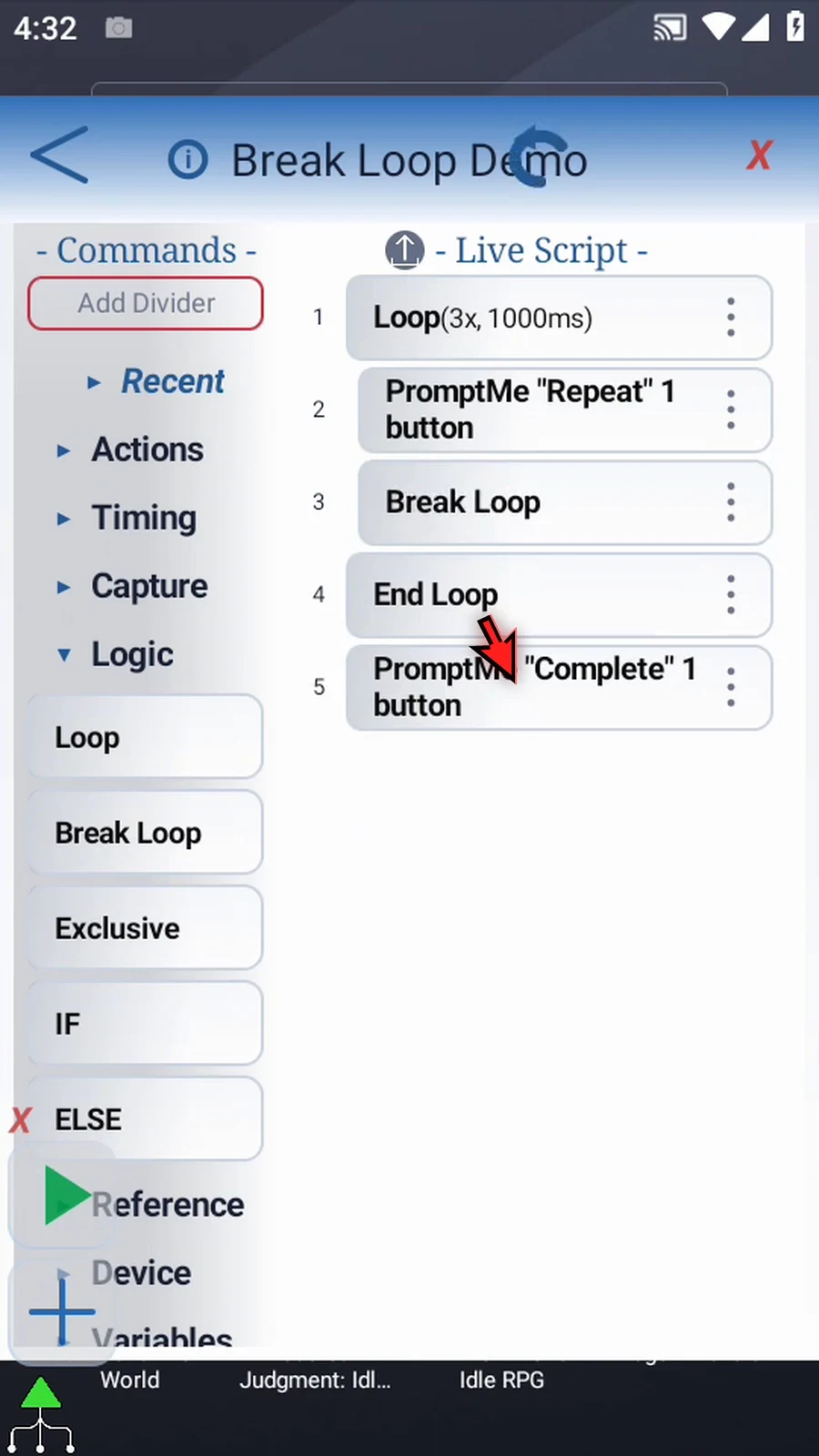
Step 09 When the script is complete, simply use the Play button in the main overlay.
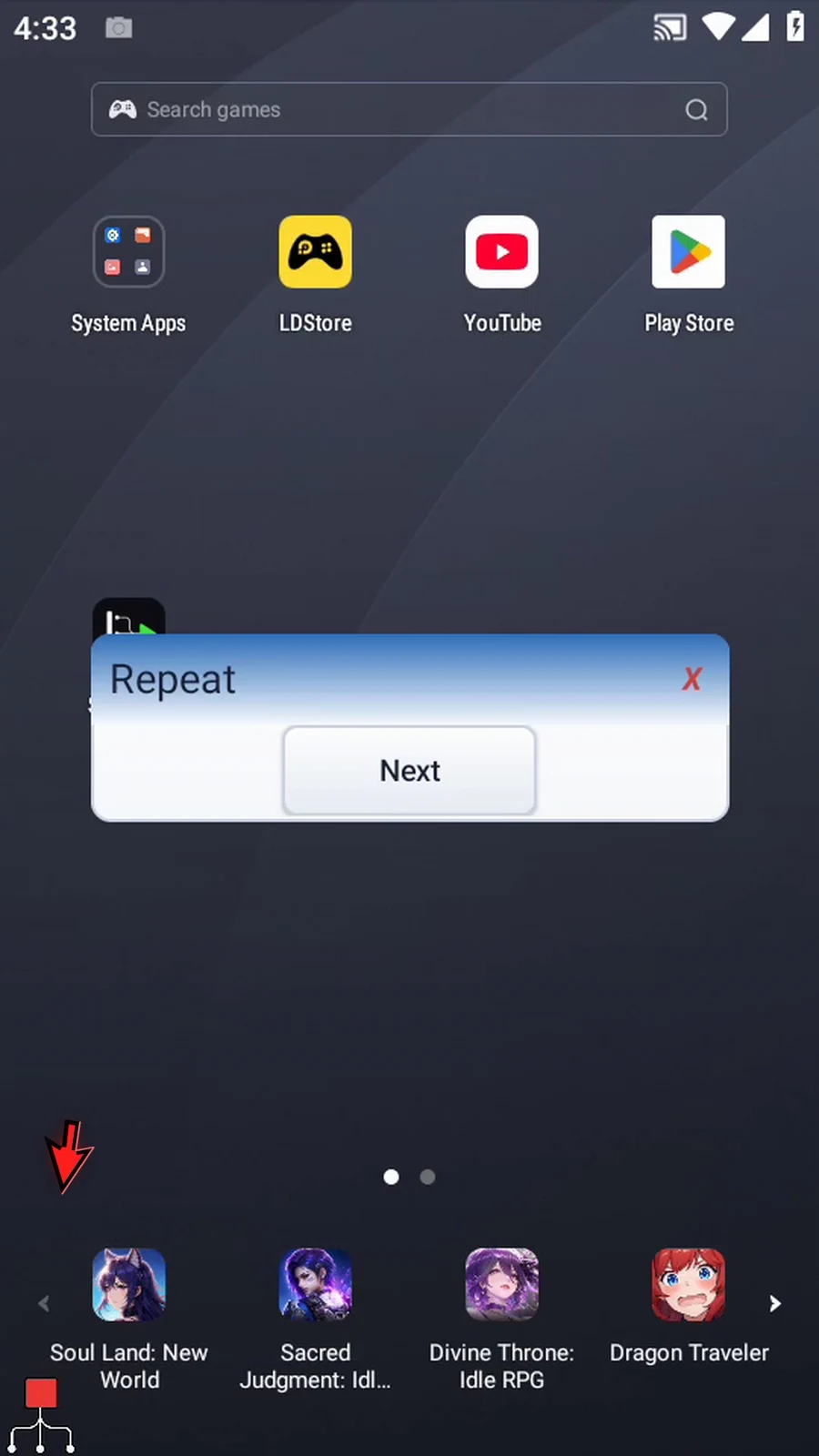
Step 10 Here is the first pass. The Repeat prompt waits for us to tap Next, then Break Loop will run.
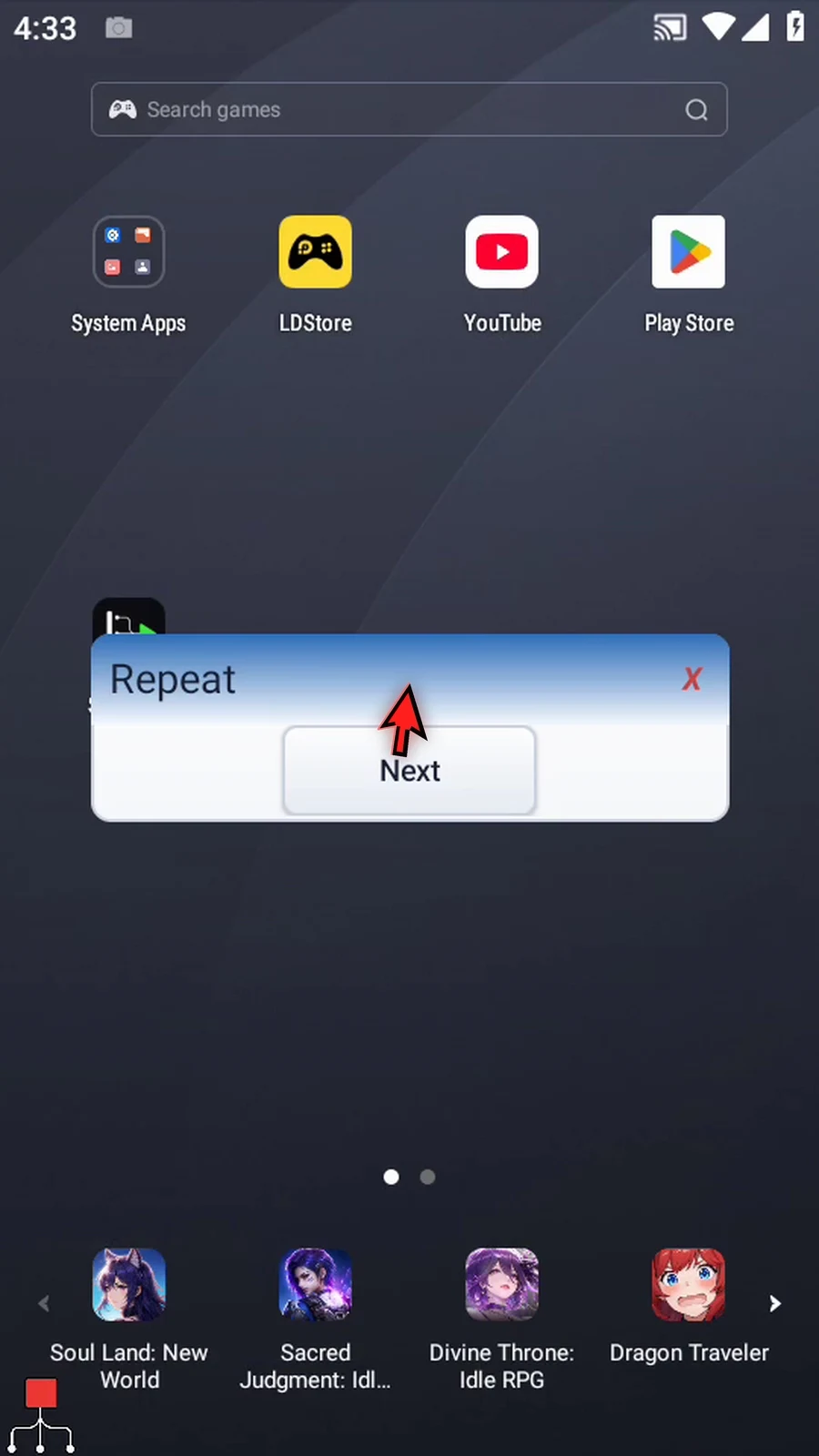
Step 11 Tap Next. The Complete prompt appears now. The script has continued after End Loop without running a second or third pass.
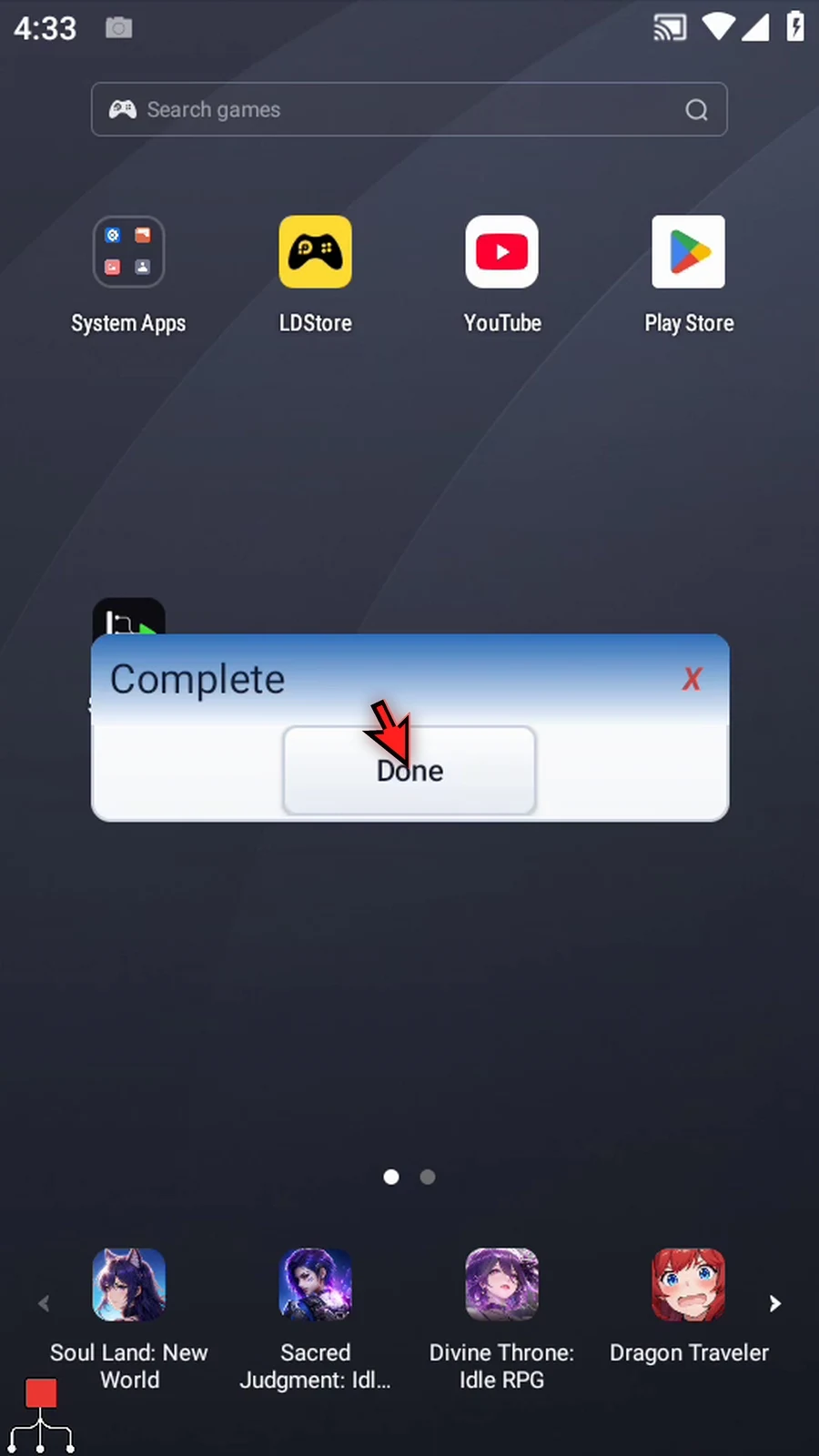
Step 12 Tap Done. The script finishes automatically. Use Break Loop to end a repetition early while allowing the commands after the loop to continue.