Command video guide
Stop Call
Stop Call cancels selected called-script branches while the parent continues. Use it when a helper is still running but is no longer needed.
This example prepares two new scripts. Stop Call Helper waits 10,000 ms, then would display This should not appear. In Stop Call Guide, a Loop runs once with Concurrent on and calls that helper. After End Loop, the parent waits 2,000 ms, then stops the child and displays Child stopped using a prepared String and Standard PromptMe. The concurrent loop lets the parent advance while the Call branch waits.
Open the helper through the inline pencil to inspect its long wait. Return to the parent and inspect the Loop's one-time Concurrent settings. Collapse the Main Overlay controls and expand Reference.
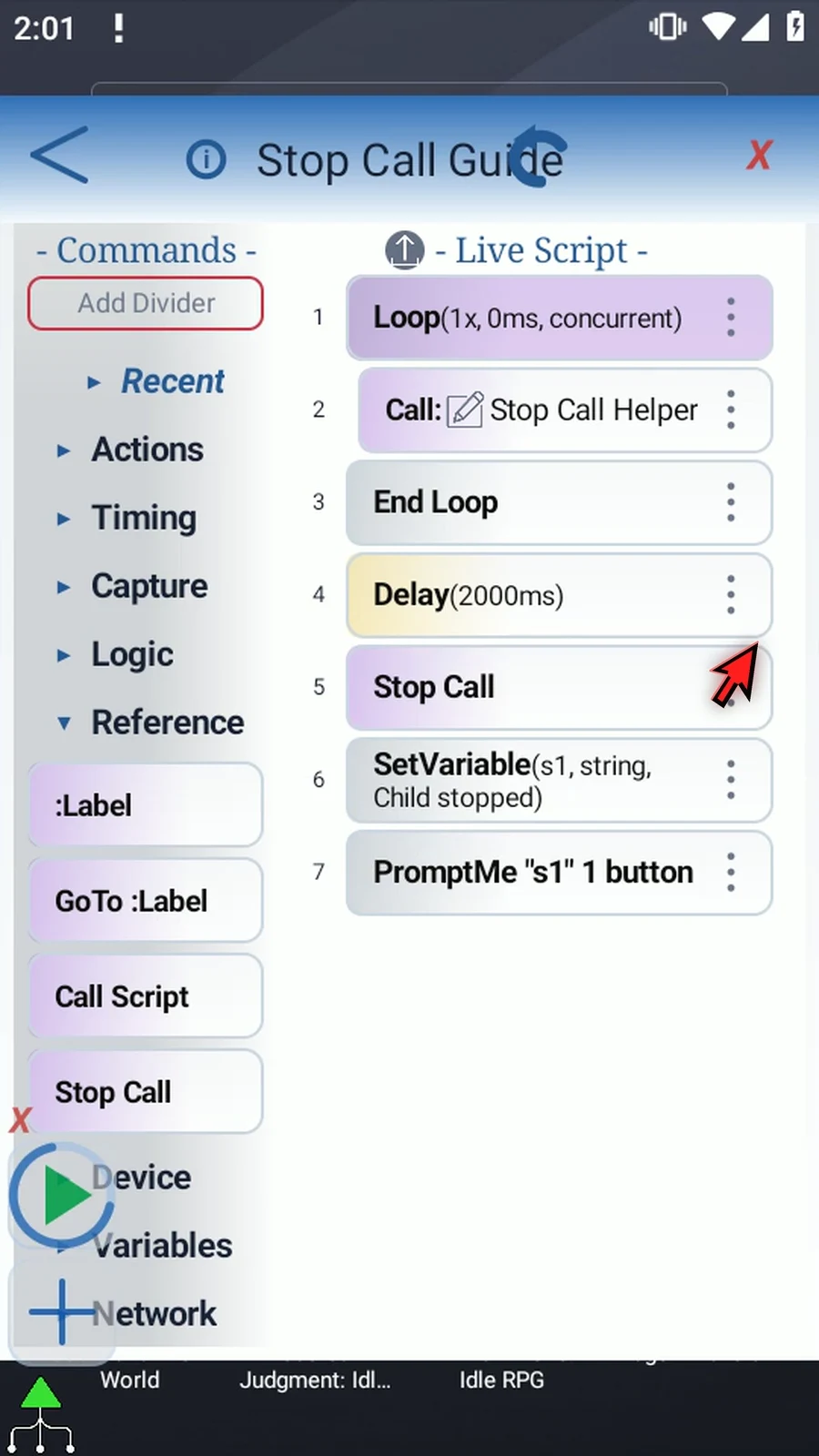
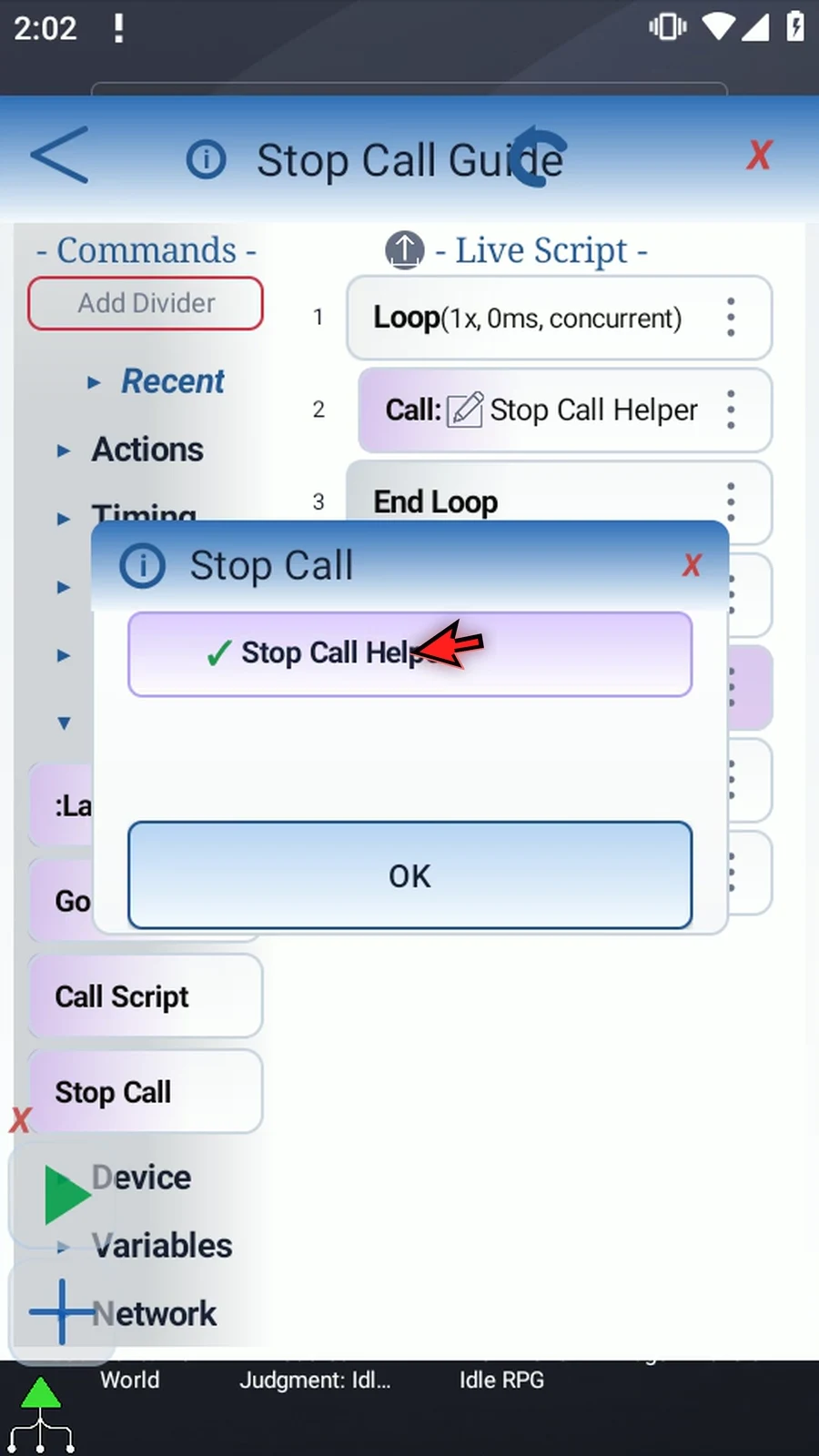
Manually drag Stop Call into the script, then move its row after the two-second Delay and before the parent's final String and PromptMe. Double-tap the placed row to open its target list. A green check selects a directly called script; deeper descendants provide context. Keep Stop Call Helper selected and save.
Close the editor and press Play. The actual parent prompt appears after the shorter wait. Keep it visible beyond the child's original ten-second delay: the child's later prompt never appears. Tap Done for natural completion.
Stop Call cancels work belonging to the selected called branch, including its descendants, without stopping the parent's following steps. Use Break Call inside a helper when it should return early on its own.
Watch the Stop Call guide
Step-by-step guide
Step 01 Stop Call cancels selected called scripts while the rest of the parent can continue. Use it when a helper is still working, but another part of your script decides that helper is no longer needed.
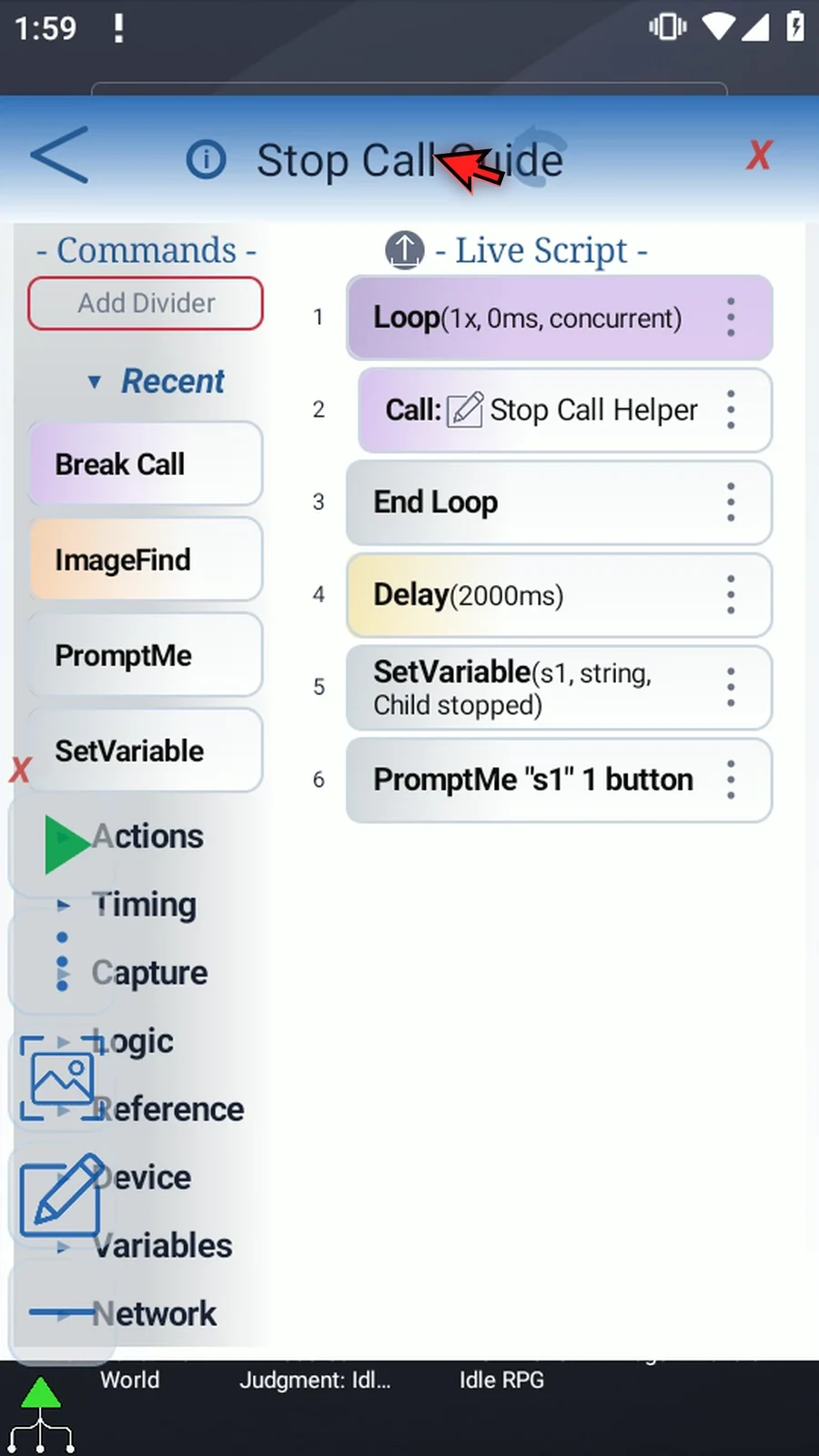
Step 02 This example has a concurrent Loop that calls a helper once. After the loop block, the parent waits two seconds, then will stop that helper and display a confirmation. The supporting commands are already prepared. Open the helper with its pencil.
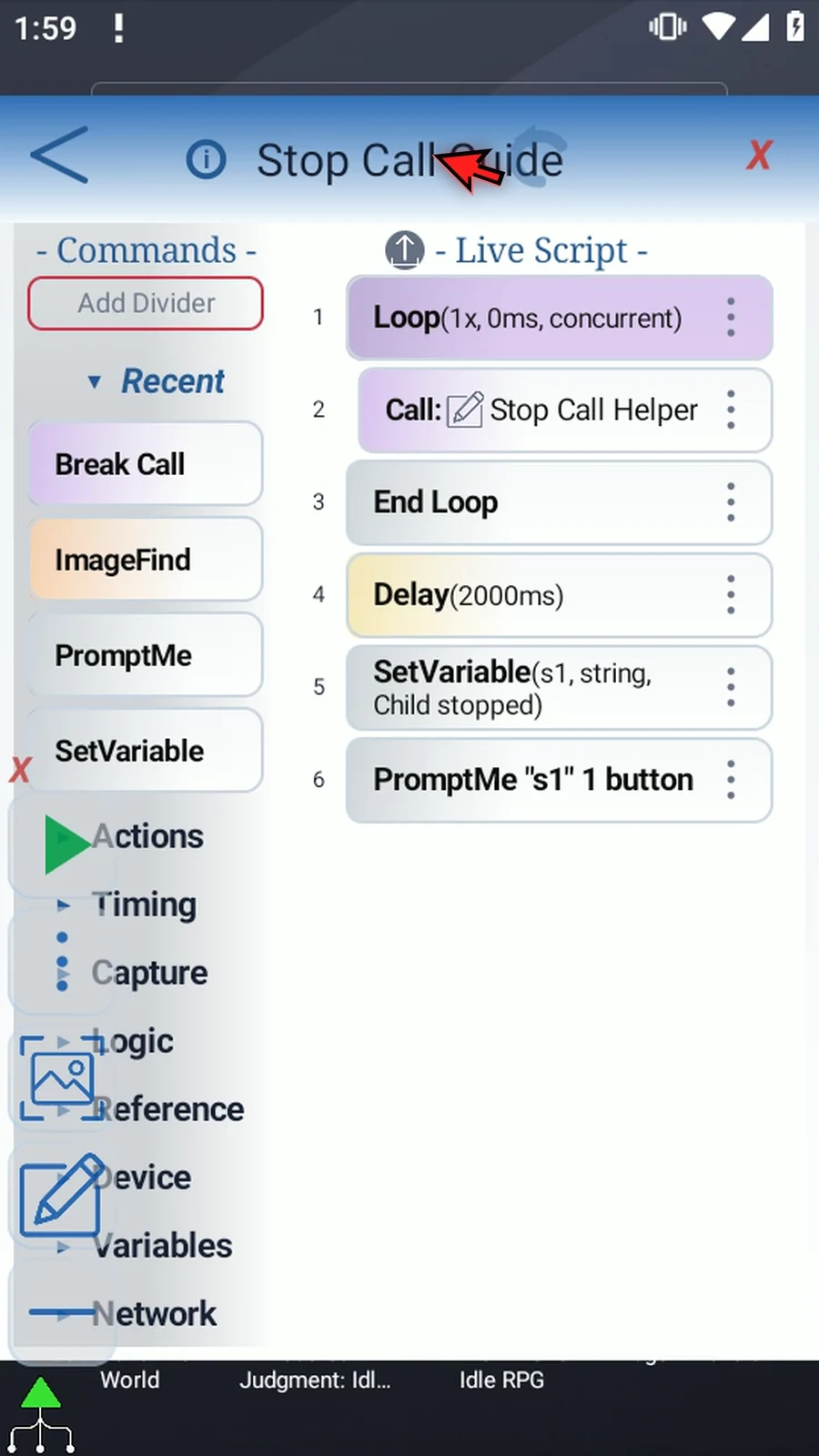
Step 03 The helper waits ten seconds before it would display This should not appear. That long wait gives the parent time to cancel it. We'll use the parent's real PromptMe as the visible result. Return with the back arrow.
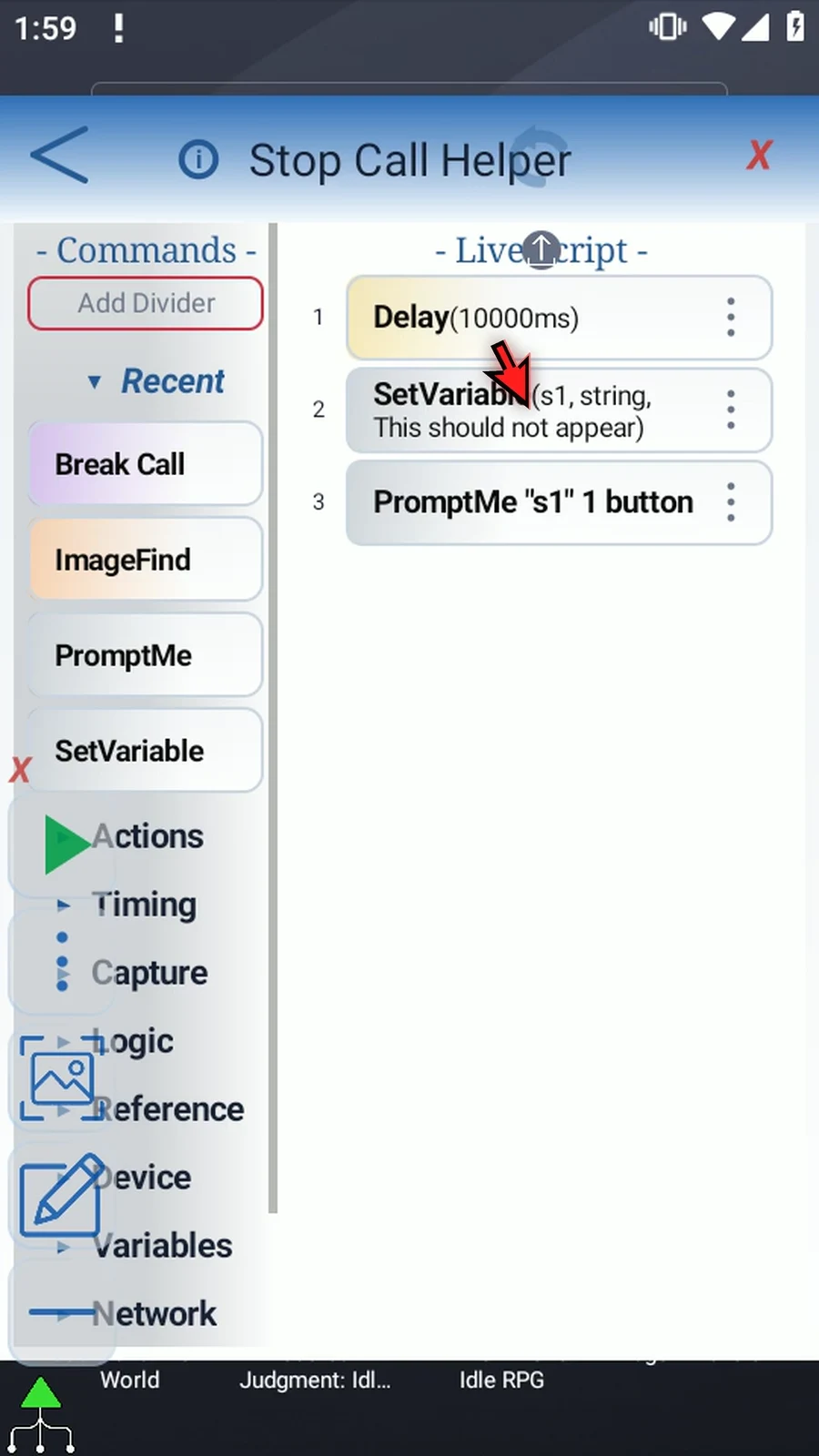
Step 04 The Loop runs once with Concurrent enabled. That is important: the Call runs in its own branch, so the parent can continue after End Loop while the helper waits. A normal sequential Call would wait for its child to return.
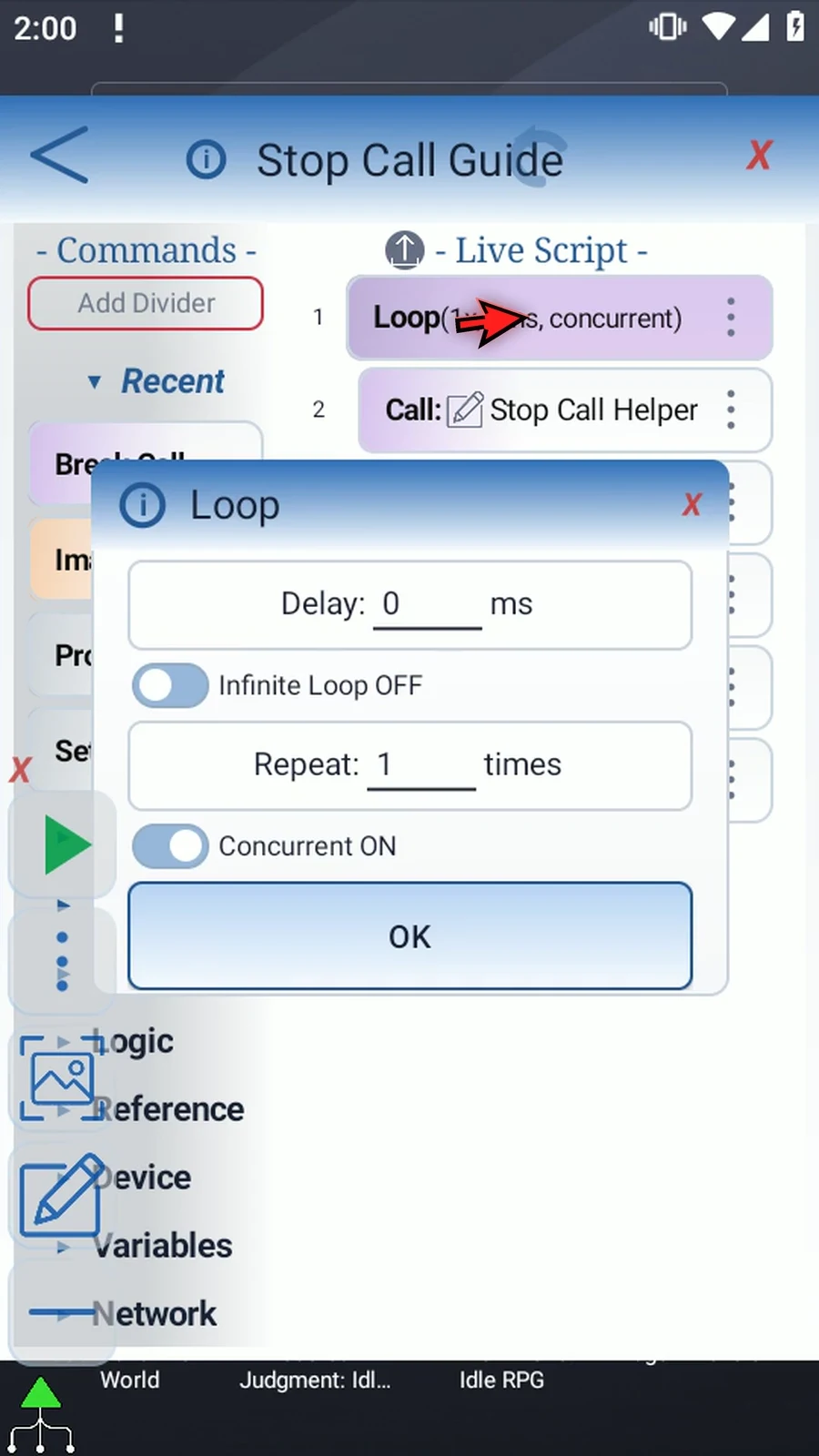
Step 05 Collapse the Main Overlay controls and open Reference. Stop Call is available because this parent has a directly called helper.
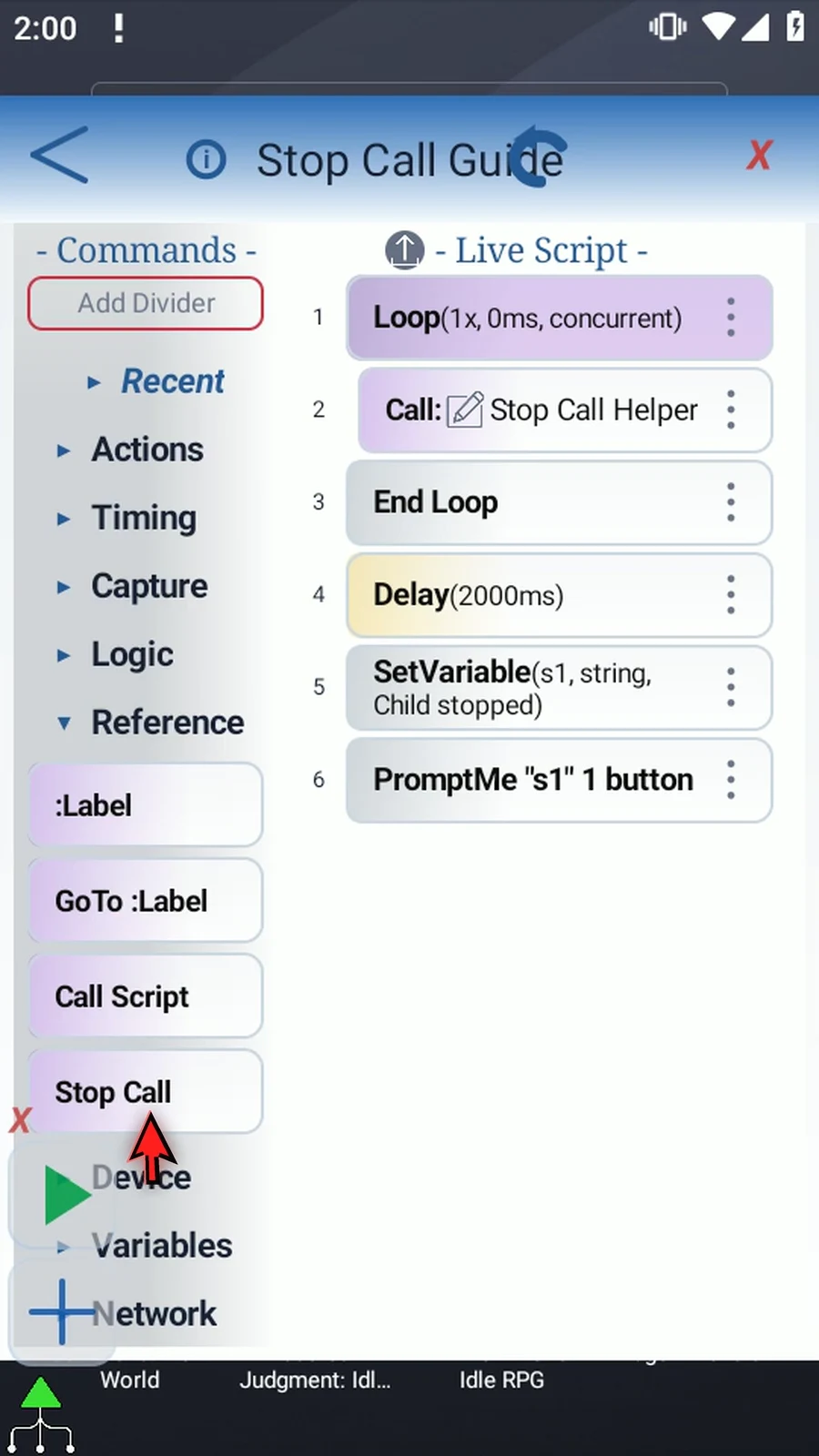
Step 06 Drag Stop Call from the palette into the script. Then move its row after the two-second Delay and before the final String and PromptMe. The parent will cancel the helper before showing its confirmation.
Step 07 Double-tap the placed Stop Call row to choose its targets. A green check means selected. You can select one or more directly called scripts; deeper descendants are shown as context. Here, keep only Stop Call Helper selected, then press OK.
Step 08 The order now matters: start the helper concurrently, wait two seconds, stop the selected call, then display Child stopped. Stop Call also ends work belonging to that called branch; it does not stop the parent's following commands.
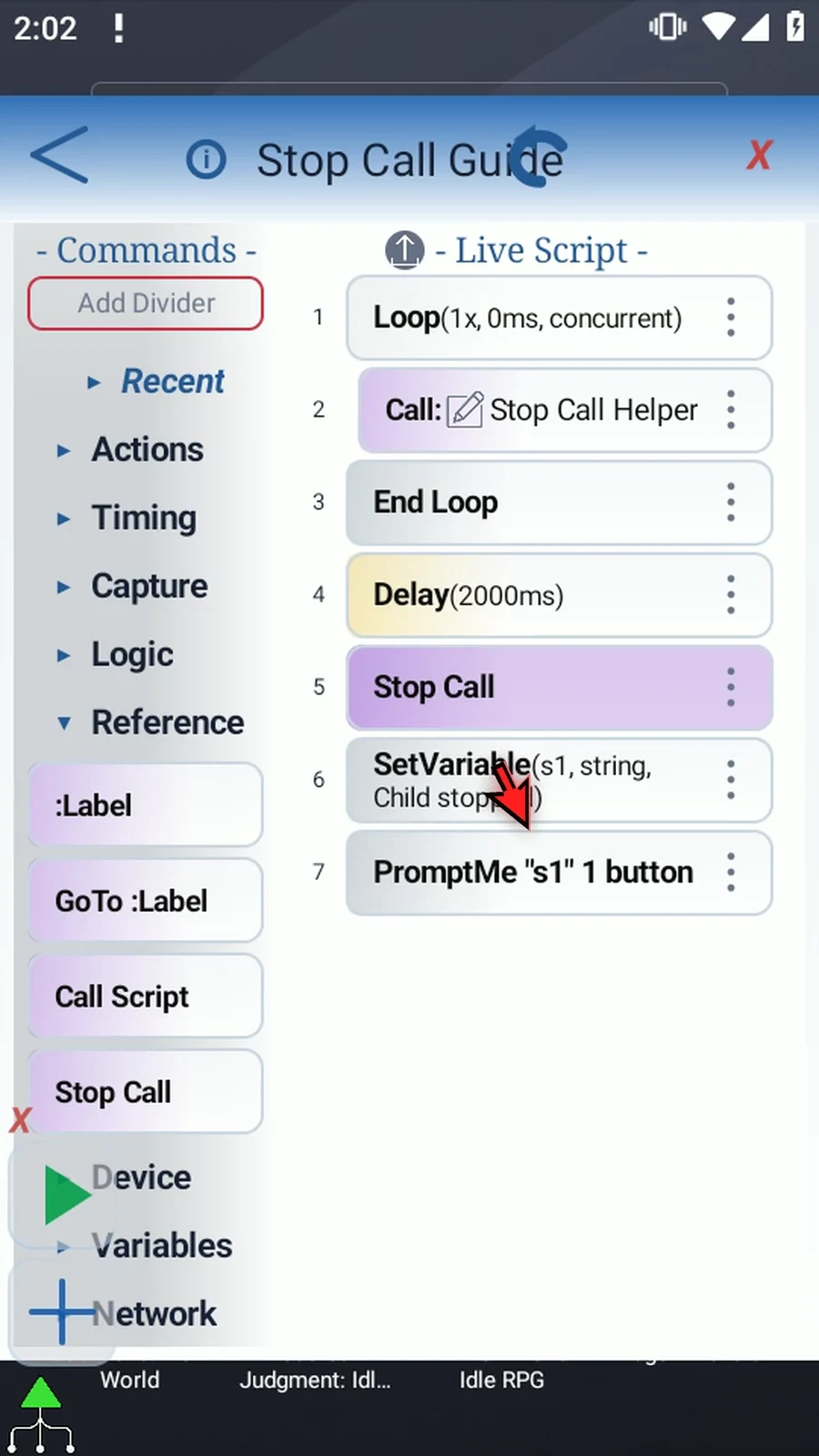
Step 09 Close the editor. In this example, the helper's ten-second wait should be interrupted long before its own confirmation could appear.
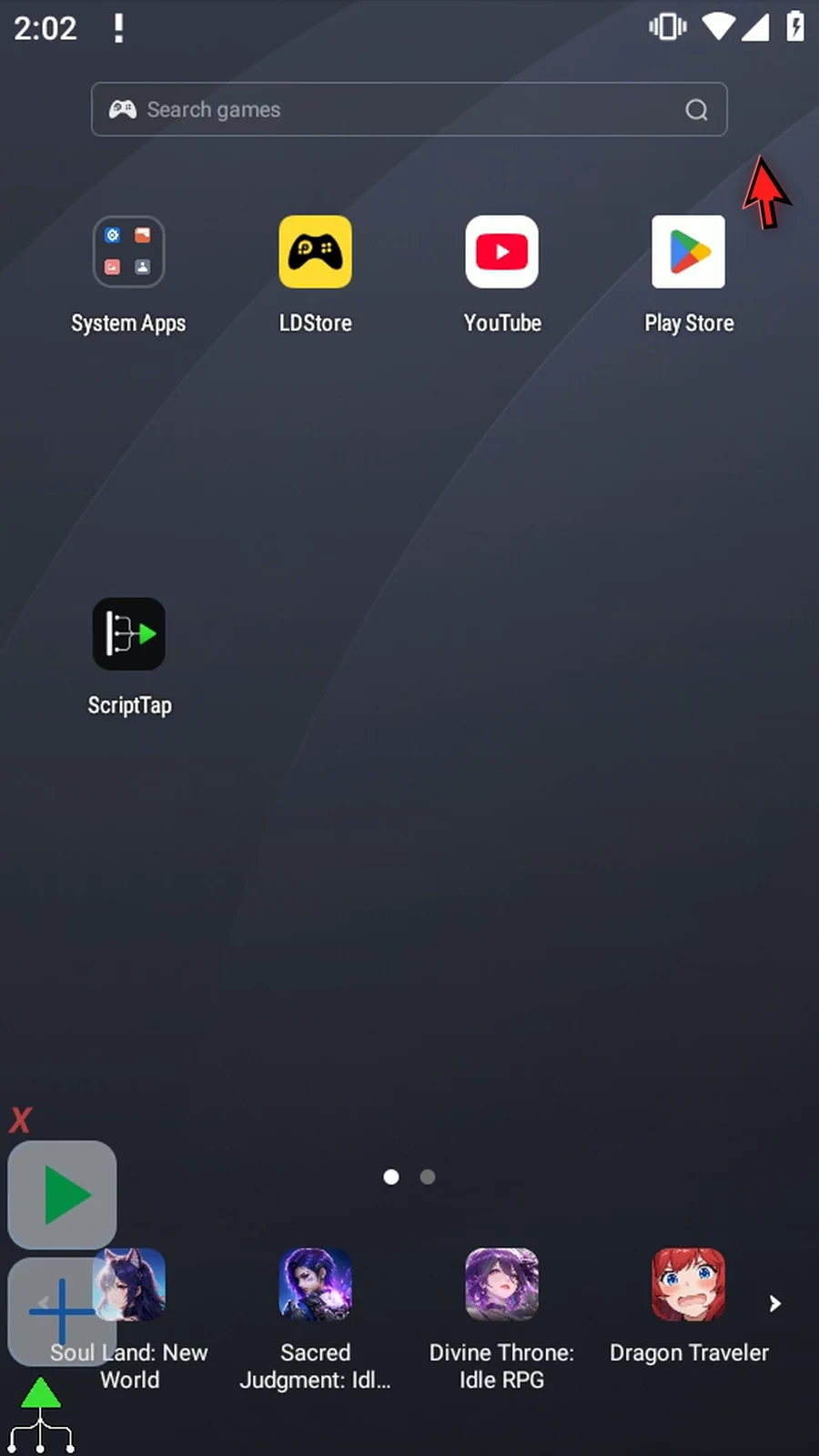
Step 10 Press Play. The helper starts waiting in the background. Two seconds later, the parent reaches Stop Call and shows Child stopped.
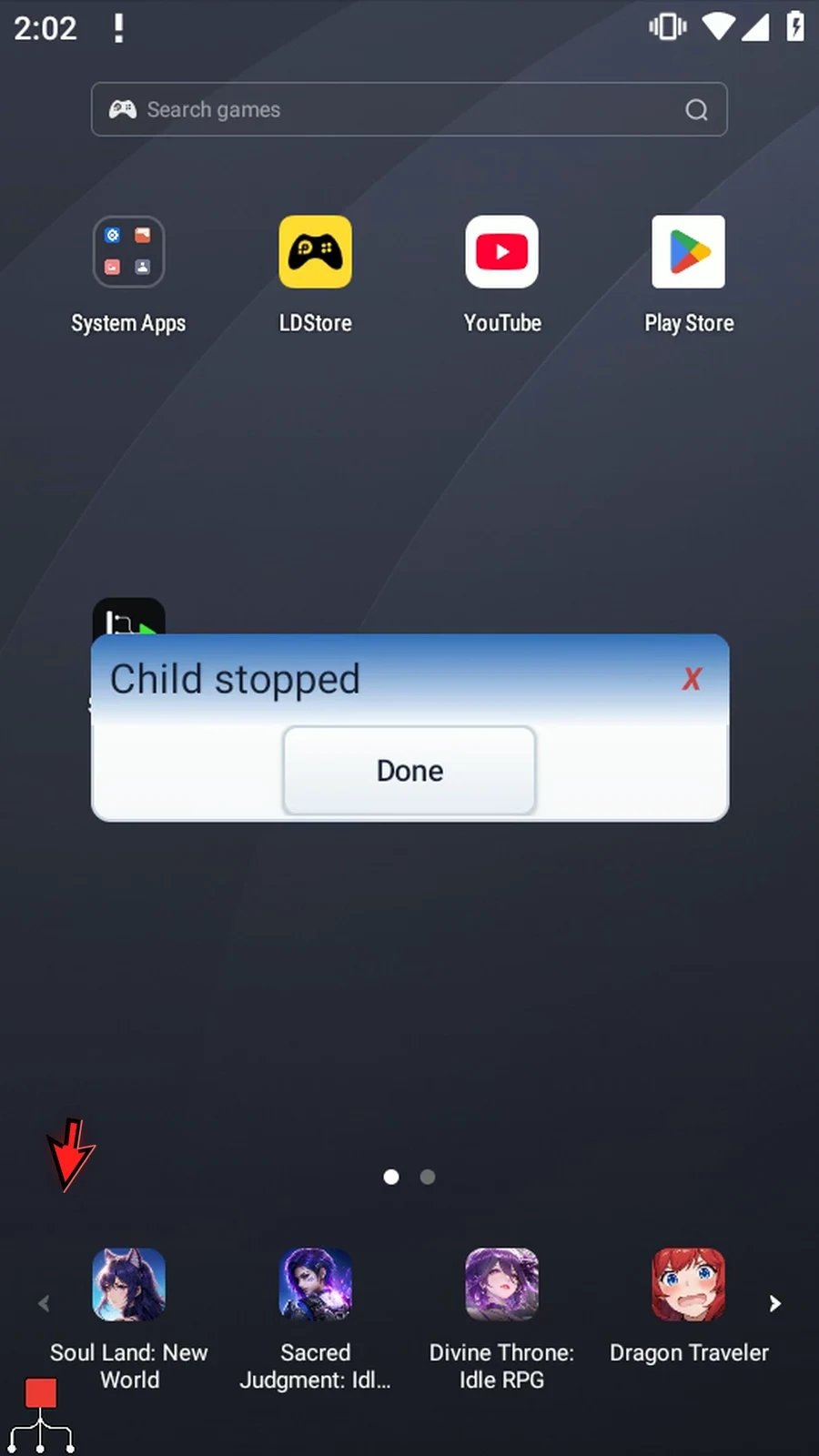
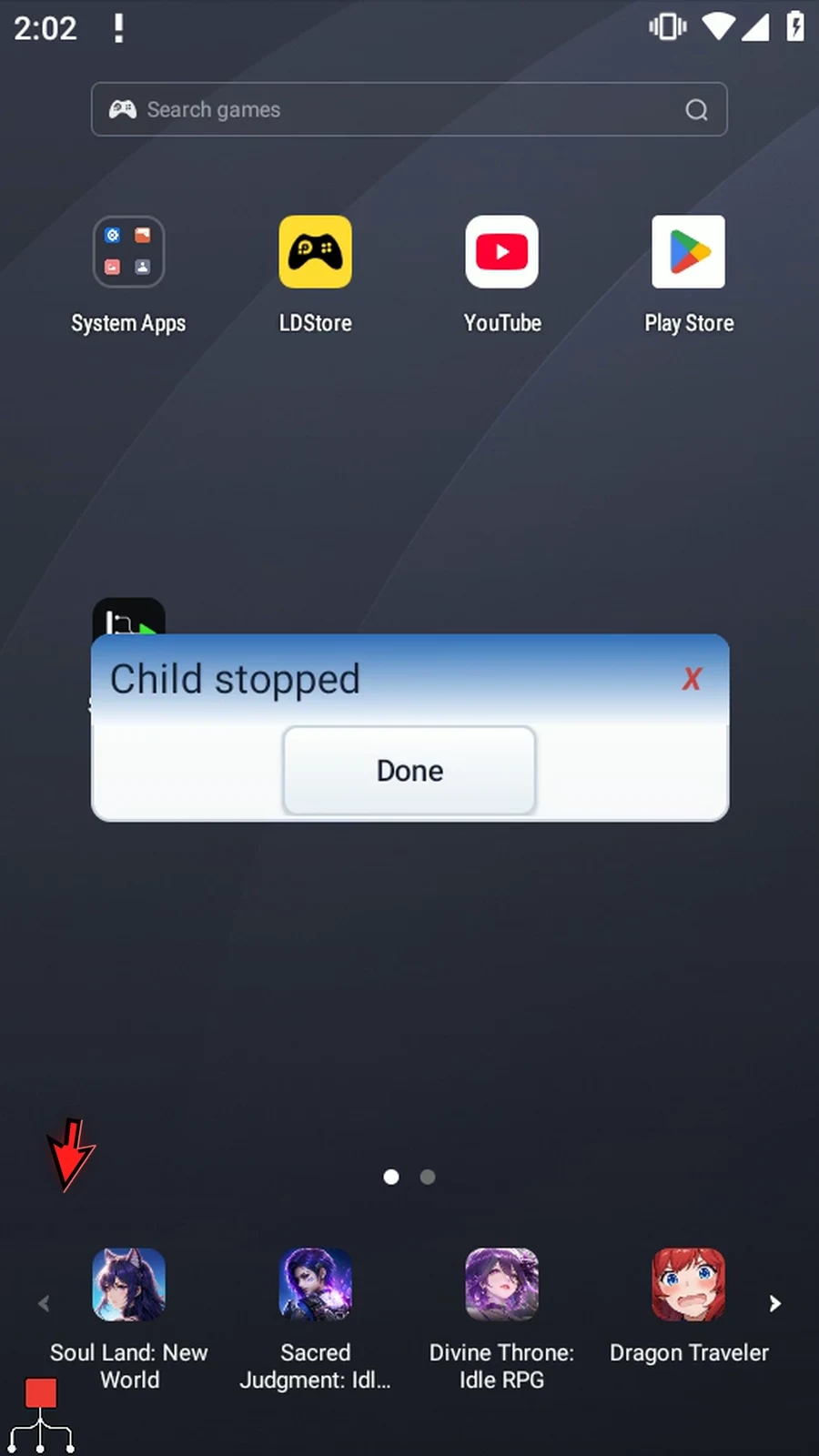
Step 11 This is the parent's real confirmation. We'll leave it visible past the helper's original ten-second wait. Its later message still does not appear, because that called branch was cancelled. Tap Done to finish the parent naturally.
Step 12 Use Stop Call to cancel another called branch. Use Break Call inside the helper itself when it should return early. Both let the parent continue with its remaining commands.